Grammarly
Grammar and tone checking everywhere you type
Grammarly still has the best inline correction UX, now with generative rewriting and tone adjustment across apps.
- Starting price
- $12
- Free plan
- Yes
Starter prompts
Copy one into Grammarly and swap the {braces} for your own details.
- Write a {length}-word {format} about {topic} in a {tone} tone for {audience}.
- Rewrite this draft to be clearer and shorter without losing the key claim: {draft}.
- Give me five headline options for this piece, ranked by how clickable they are: {draft}.
Overview
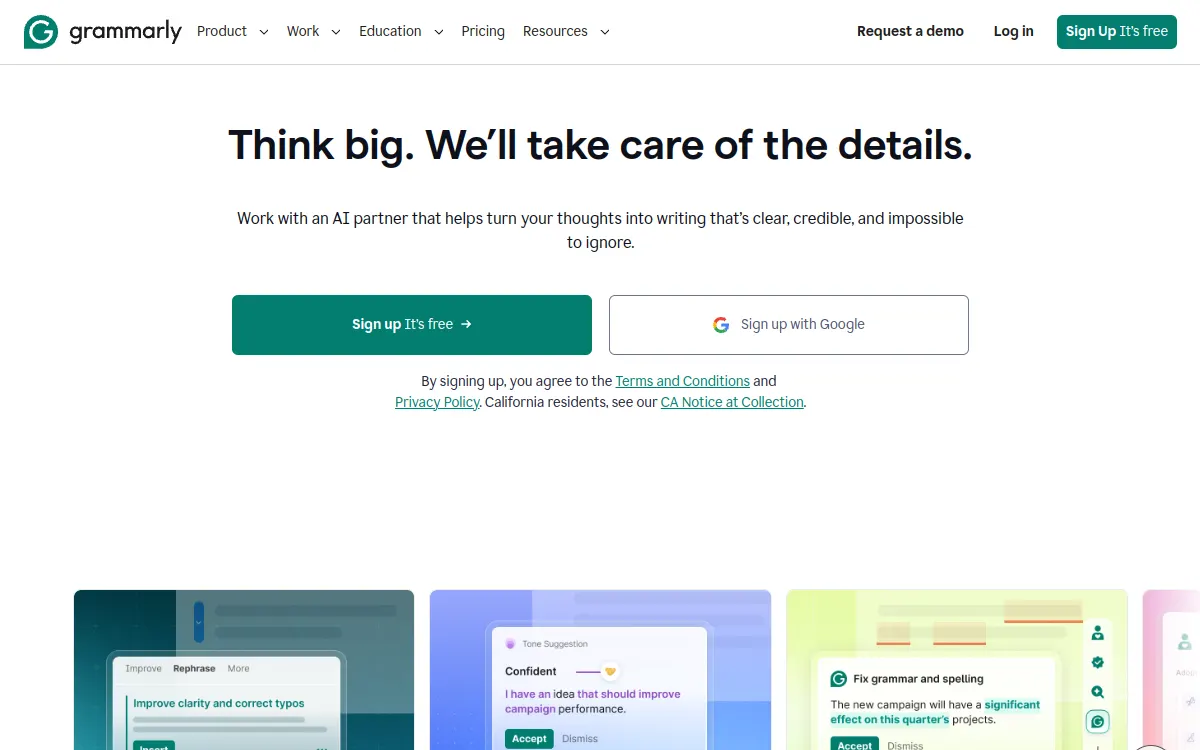
Grammarly is the default writing layer for English: browser extension, desktop app and Word plugin all share the same suggestions. Recent versions add full-sentence rewrites, tone detection and a generative compose mode.
Key Features
Inline corrections
Catches grammar, punctuation and clarity issues as you type.
Tone detection
Flags when an email reads more bluntly than intended.
Generative rewrite
Rephrase a paragraph to a target length or register.
How to Use
- Install the extension and sign in.
- Write as usual; accept or dismiss suggestions inline.
- Use the rewrite button on paragraphs that feel off.
Core Advantages
- ✓Works in every app
- ✓Excellent grammar coverage
- ✓Tone feedback is useful
Who It's For
Pricing & Free Trial
Free
$0
Pro
$12
Free tier: Basic grammar and spelling.
Last checked 27 Oct 2026 · source page
Frequently asked questions
- What is Grammarly?
- Grammarly still has the best inline correction UX, now with generative rewriting and tone adjustment across apps.
- Is there a free plan for Grammarly?
- Basic grammar and spelling.
- How much does Grammarly cost?
- Grammarly uses a freemium model. The entry paid plan is $12 (Pro).
- What can Grammarly do?
- Its headline capabilities: inline corrections; tone detection; generative rewrite.
- Who is Grammarly for?
- It is aimed at non-native speakers, professionals, students.
Our Verdict
Still the safest baseline for professional English. It will not write for you, but it stops the mistakes that cost credibility.
Community rating
Tap a star to rate this tool
More like this




Compare Grammarly with alternatives
Put Grammarly next to its closest rivals — ratings, free tiers and entry prices in one table:
 NovelCrafter★ 4.5
 ProWritingAid★ 4.4
 Surfer SEO★ 4.4