
HeyGen
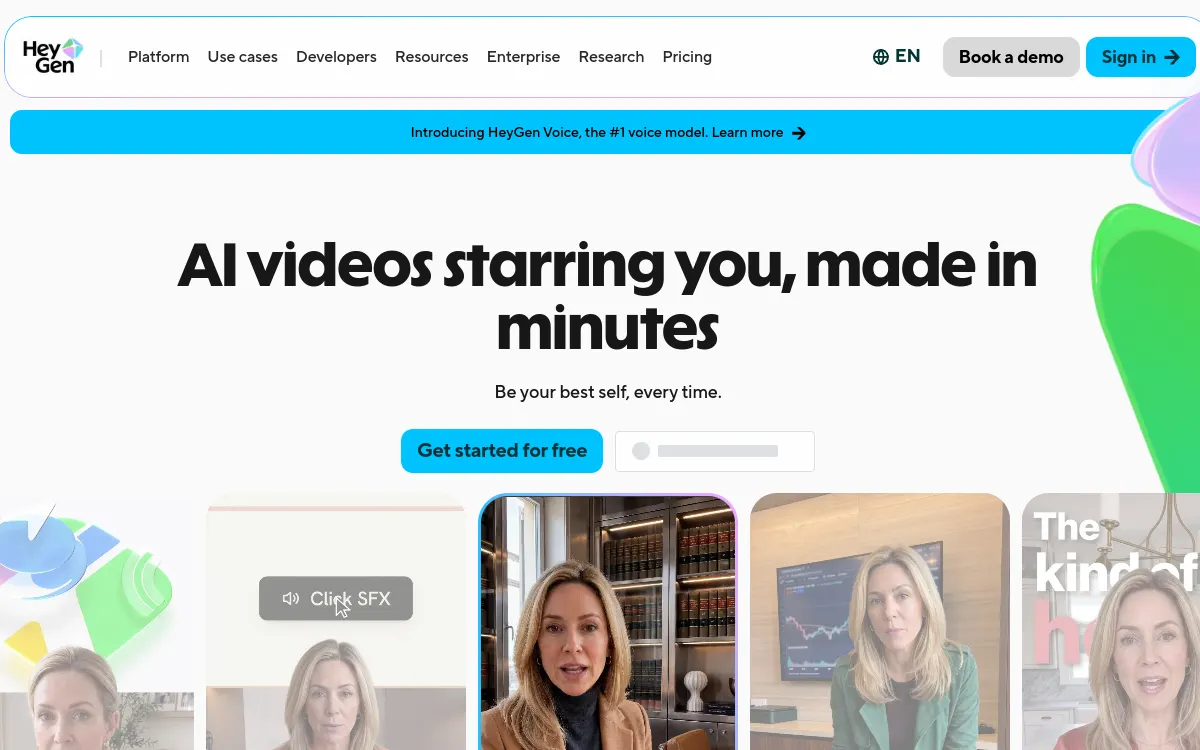
AI avatar videos from a script
Turn a script into a talking-head video with customizable avatars and instant translation into many languages.
Starter prompts
Copy one into HeyGen and swap the {braces} for your own details.
- A {camera movement} shot of {subject} in {setting}, {mood} lighting, five seconds, cinematic.
- Animate this still with subtle motion: {image}.
- Extend this clip by four seconds, keeping the motion and lighting consistent: {clip}.
Overview
HeyGen turns a script into a talking-head video with a synthetic presenter, then translates it into dozens of languages while keeping your lip movement in sync. For marketing and localisation teams it replaces a studio booking with a text box.
Key Features
Custom avatars
Clone yourself from a short recording, or choose from a stock library of presenters.
Video translation with lip sync
Dub a finished video into another language and re-animate the mouth to match.
Script-to-video workflow
Paste a script, pick a voice and background, and export a finished presenter video.
How to Use
- Record two minutes of yourself for a custom avatar, or pick a stock one.
- Write the script with short sentences — pauses read better than long clauses.
- Generate, then review for mispronounced names and odd emphasis.
- Use translation to localise the same asset for other markets.
Core Advantages
- ✓Eliminates reshoots when a line changes.
- ✓Localisation at a fraction of agency cost.
- ✓Avatar quality is good enough for internal and social video.
Who It's For
Pricing & Free Trial
Free
$0 / month
3 watermarked videos, 1 min max, Avatar IV trial
Free tier: Free plan: 3 videos a month, up to 1 minute each, watermarked.
Last checked 27 Oct 2026 · source page
Paid Creator/Team tiers are quoted on the page and scale by video credits.
Frequently asked questions
- What is HeyGen?
- Turn a script into a talking-head video with customizable avatars and instant translation into many languages.
- Is there a free plan for HeyGen?
- Free plan: 3 videos a month, up to 1 minute each, watermarked.
- How much does HeyGen cost?
- HeyGen uses a subscription with video credits model — see the pricing section for the plans we have on file.
- What can HeyGen do?
- Its headline capabilities: custom avatars; video translation with lip sync; script-to-video workflow.
- Who is HeyGen for?
- It is aimed at marketing teams producing video at volume, L&D teams updating training content constantly, creators localising content for multiple markets.
Our Verdict
Best value when you need many videos with a consistent face. Do not expect Hollywood realism — the uncanny valley is real at close range. For anything emotional or premium, still hire a camera.
Community rating
Tap a star to rate this tool
More like this



Compare HeyGen with alternatives
Put HeyGen next to its closest rivals — ratings, free tiers and entry prices in one table:
 Kling AI★ 4.6
 Veo★ 4.6
 OpusClip★ 4.5